∞ CW&T
CW&T started as a two-person design practice of Che-Wei Wang and Taylor Levy.
With backgrounds in Architecture, Film and Computer Science, the duo met at NYU ITP where they began their scale and medium agnostic approach to design.
Every single piece CW&T designed is so astonishing. I have an urge right now to to collect them all!
Today I:
✅ Baked bread
✅ Booked summer camp in Taiwan
❌ Kept procrastinating on my tax return
∞ leaving Google for this
In Scott Yu-Jan's latest video:
... there are dream jobs and careers, and then there are these rare opportunities like this to do things that no longer feel like a job.
∞ When [Dr. Bryant Lin] Got Cancer, He Didn’t Quit. He Taught a Class About It
Kate Selig writes:
Dr. Bryant Lin, who teaches medicine at Stanford University, was given a terminal diagnosis. He wanted his students to understand the humanity at the core of medicine.
Changelog v2025.2
Umbrella updates
2025-02-01Blog posts are now synced to my Bluesky account.2025-02-01Mango Snippets is now a regular Node, and the snippets are just blog posts.
New nodes
2025-02-01Mango Go Links
New posts
2025-02-02A Small Interaction in Cursor2025-02-02hello-universe2025-02-10How to Use SwiftFormat with SweetPad2025-02-17neurons2025-02-18crossroad
Look, there is a crossroad ahead. And I'm equally excited and nervous about two of the three directions.
I had a dream a few days ago. I was trying to align a model, swimming in a sea of neurons and performing surgeries on them.
Then, I ran into a circuit of neurons. They spoke to me, "Turn around, are you sure we are neurons of the model?"
As I was turning around, I suddenly realized that my neurons and the model's neurons had become interconnected and indistinguishable.
How to Use SwiftFormat with SweetPad
SweetPad is a VS Code extension for Swift/iOS development, with swift-format formatting built in. However, I prefer using SwiftFormat by Nick Lockwood for its comprehensive formatting options.
To use SwiftFormat with SweetPad, update the formatter path and remove the default --in-place argument in VS Code settings:
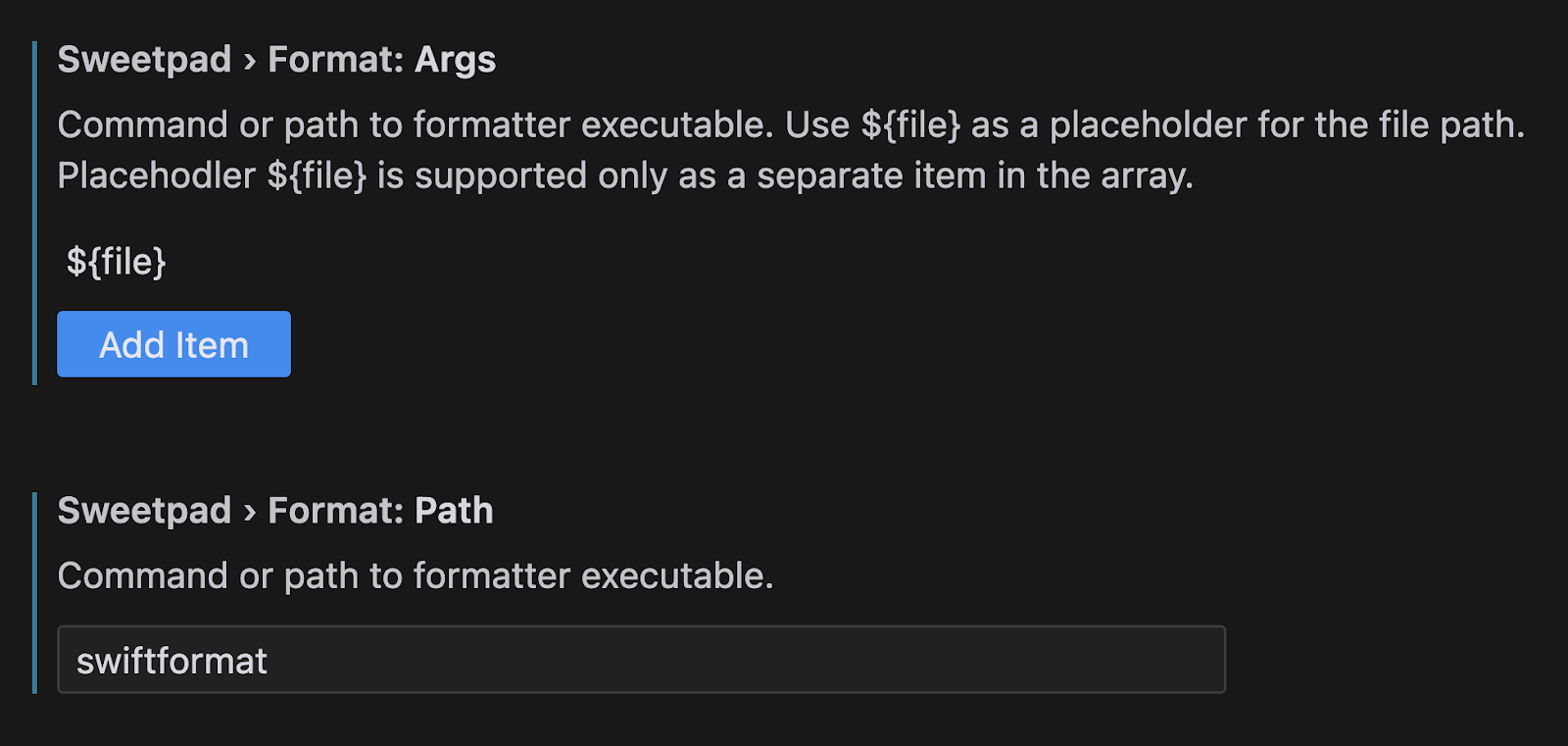
Here's my settings.json:
{
    "[swift]": {
        "editor.formatOnSave": true,
        "files.autoSaveWorkspaceFilesOnly": true,
        "editor.defaultFormatter": "sweetpad.sweetpad"
    },
    "sweetpad.format.args": [
        "${file}"
    ],
    "sweetpad.format.path": "swiftformat"
}
Now that titles on my website's posts are optional, and posts are synced to both Mastodon and Bluesky, I'll try to post everything to my website first.
Hello, universe 👋
A Small Interaction in Cursor
A lot of us are familiar with GitHub Copilot's multi-line auto-completions. As LLM models improve, they're becoming better productivity multipliers. However, auto-completion is just one way IDEs can leverage LLMs.
I'd like to share a very small interaction I had in Cursor today.
I wrote my website's backend in Go myself. At the bottom of my blog posts, there's a page navigation section that looks like:
« Previous page ---- Page 2 ---- Next page »
I wanted to add the total number of pages:
« Previous page - Page 2 of 51 - Next page »
I originally wrote the following code with a bug (both totalPosts and numPostsPerPage are int in Go):
    data.TotalPosts = totalPosts
    data.NumPages = totalPosts / numPostsPerPage
Instead of directly fixing it, I added a leading comment: // This should be rounded up:. Cursor immediately suggested a fix.
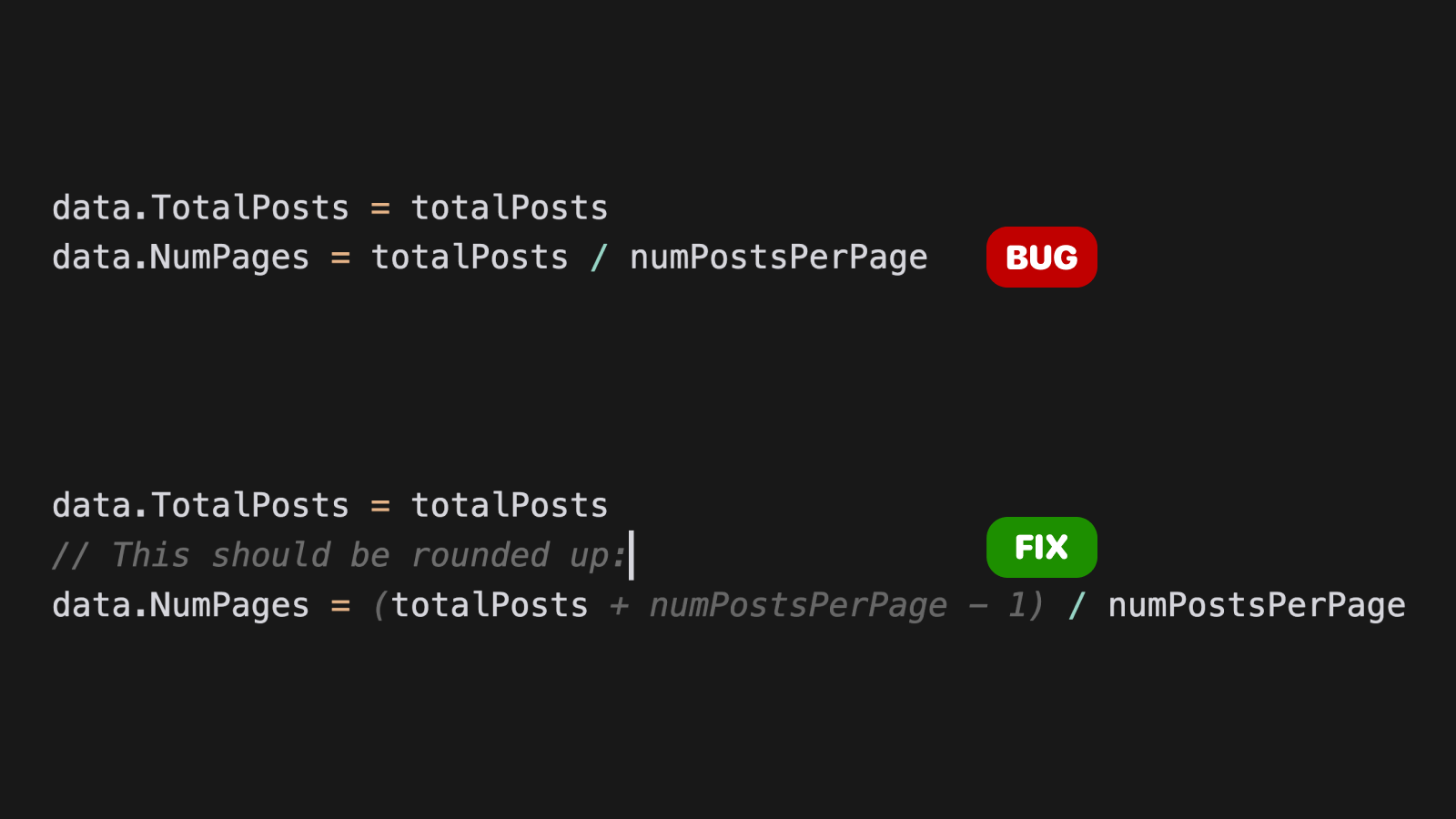
Cursor suggesting an edit after adding a leading comment.
This is not an auto-completion, but a suggested edit!